Lap timer, drag meter and ECU logger in one box
DashCAN Apex records 25 Hz GPS, G-forces and every channel your ECU sends, on one timeline. On track your phone is the dash. Afterwards, DashCAN Cloud shows you where the time went.
Quarter mile at Drag Elite Europe: 6.787 s on the Apex, 6.788 s on the official timing. How we checked
The demo is a real hillclimb run, open in your browser with no account. DashCAN is already in 300+ cars.
A real hillclimb run at Buzet, with its data on screen. Filmed in the DashCAN app and exported with the lap timer, speed, G-forces and ECU channels on it. Open a full run in the demo
See where you brake, slide and lose time
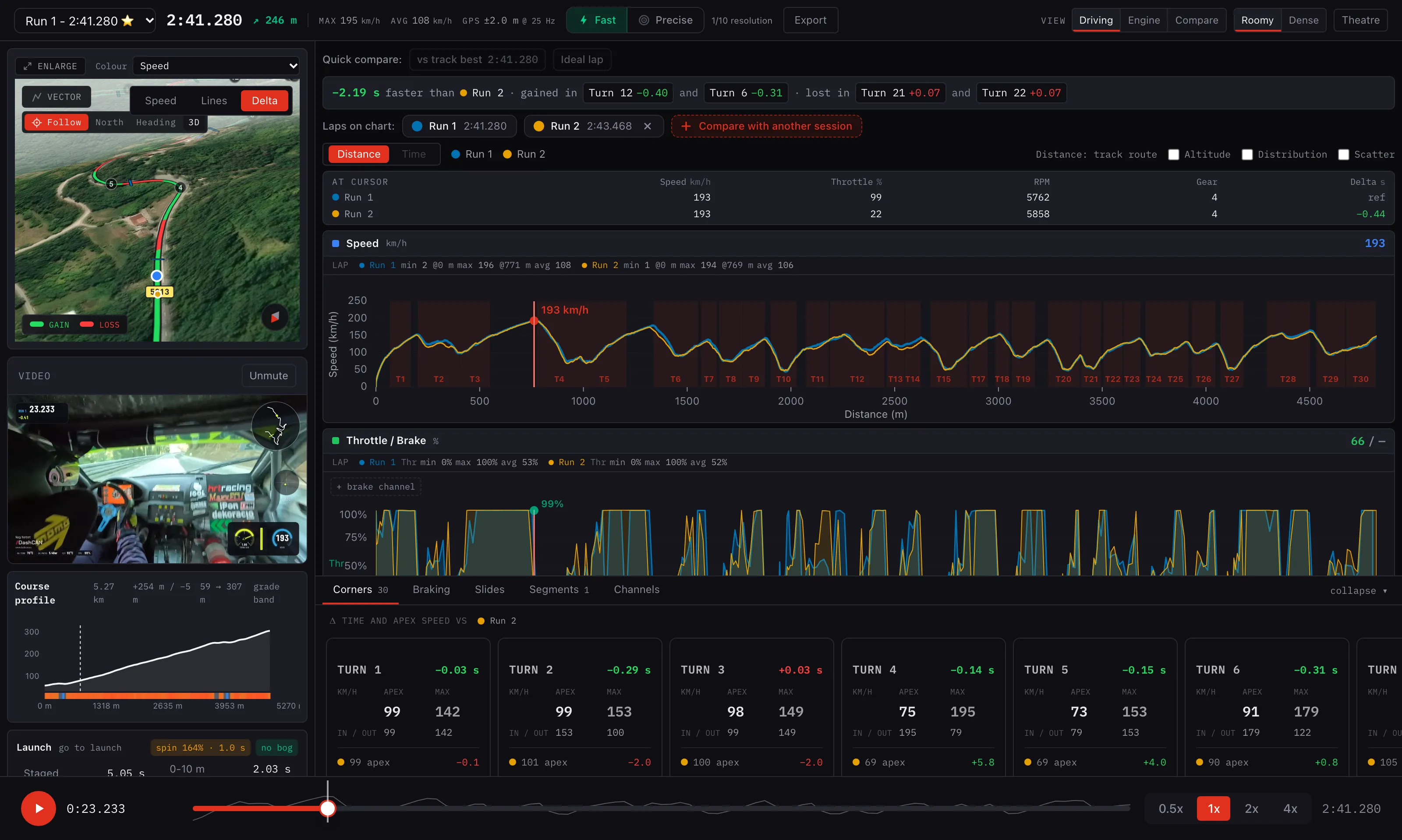
This is DashCAN Cloud on a real run: Norbert Nagy of the NNR team at the Buzet hillclimb, 2:41.280, against his own 2:43.468 from earlier that day. GPS, G-forces and engine data all come from one Apex wired to his MaxxECU.
 Open the live session
Braking points
Where each brake zone starts, how hard you braked and how long it lasted, corner by corner, and whether you braked earlier or later than on the other run.
Slides
Where the rear stepped out and by how many degrees, from the gyro against the GPS path.
Throttle, RPM, gear
Every ECU channel on the same distance axis as the speed trace, so you see what your foot was doing at every metre.
Run against run
Time gained and lost in every corner, drawn on the map in green and red, with the onboard video playing in step.
Open it, press play, click a corner. No account, nothing to install. Open the demo session
What the Apex does
Four wires: 12 V, ground, CAN high and CAN low. Pair it with the free app and that is the setup. Everything below runs on that one box.
Lap timing
Circuits, hillclimbs and sprints, timed from 25 Hz GPS. Sectors, gap to best and your optimal lap live on the phone, no transponder.
How lap timing worksDrag and 0-100
0-100, 100-200, the quarter mile and your own runs. Every time is worked out again from the raw GPS and IMU after the run.
How runs are measuredLive ECU dash
Your phone becomes the dash: RPM, temperatures, pressures and lambda, up to 20 values at 50 updates a second, in 9 gauge designs.
Which ECUs it readsVideo with your data
Film in the app or import a GoPro or DJI clip, then export it with the lap timer, speed, G-forces and ECU channels on the footage.
Logs without the phone
The Apex records GPS, IMU and CAN to its own memory, over 2 hours of it. Download it over Bluetooth later and the app rebuilds every lap and run.
Onboard loggingTrack database
Circuits and sprint courses in 52 countries, the nearest one on top. Download a track with its start/finish and sectors in one tap.
All of it runs in the free DashCAN app for iOS and Android. Get the app
6.787 on the Apex. 6.788 on the official timing.
Precision is easy to claim, so we took it to a drag strip. Drag Elite Europe, Arad, 3 October 2026: Csolti Ádám's dragster on the quarter mile. The strip timed the run with its light beams. The Apex in the car worked it out from its own 25 Hz GPS and IMU, with no link to the timing system.
| Split | Official | Apex | Off by |
|---|---|---|---|
| 60 ft | 1.013 s | 1.013 s | 0.000 s |
| 1/8 mile | 4.375 s | 4.373 s | 0.002 s |
| 1/4 mile | 6.788 s | 6.787 s | 0.001 s |
DashCAN Apex
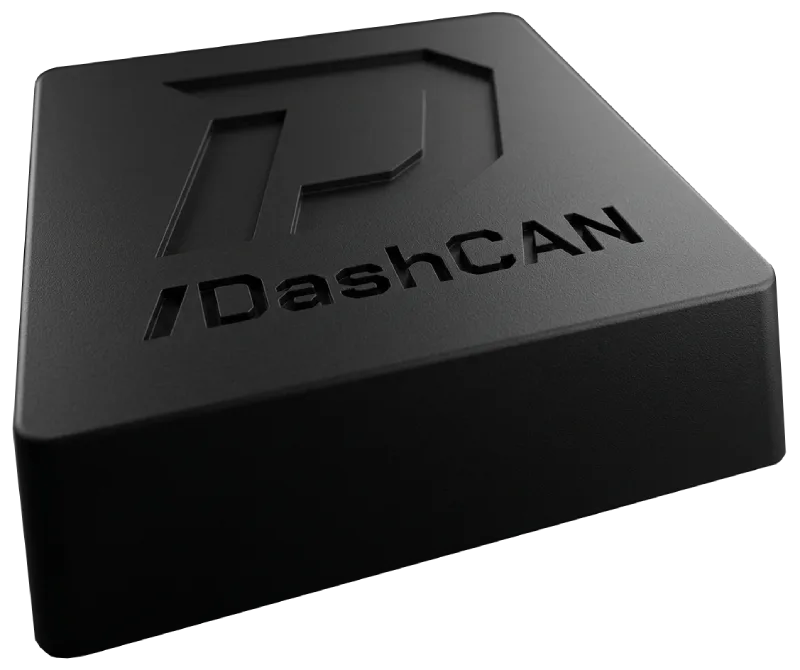
€199.00Preorder
DashCAN Apex
GPS, a 6-axis IMU and the full CAN interface in one box. Lap times and G-forces next to your ECU data, and it keeps logging on its own when the phone is not connected.
- GPS
- 25 Hz
- IMU
- 6-axis
- CAN
- Full
- Onboard log
- 2+ hrs
Also available: DashCAN Apex OBD.
Expected to ship: 2026 November
Free shipping from €199.00, shipped from the EU, 14-day right of return, 2-year warranty.
Not ready to order yet?
Reads your ECU out of the box
Turn on the CAN broadcast once in your tuning software and pick the ECU in the app.
- Ignitron ECU
- ECU Master EMU
- ECU Master EMU PRO
- Emtron
- Haltech
- Hondata
- MaxxECU
- MegaSquirt
- MoTeC
- rusEFI
- Speeduino
- Syvecs
- VEMS
Any other ECU that broadcasts on CAN can be mapped by hand, and a stock car works over OBD2 (ISO 15765-4, most cars from around 2008). Setup guides
Questions before you order
The rest, including troubleshooting, is on the FAQ page.
Which ECUs and cars does DashCAN work with? Will it work on my stock car?
DashCAN reads the CAN broadcast of a standalone ECU. The app decodes the Ignitron ECU, MaxxECU, Haltech, ECU Master EMU and EMU PRO, Speeduino, rusEFI, Emtron, Syvecs, Hondata, VEMS, MoTeC (Data Set 3) and MegaSquirt streams out of the box: enable the broadcast once in your tuning software, pick the ECU in the app, and the gauges show up. There is a setup guide for each in First Steps.
Haltech, Emtron, Syvecs, VEMS and MoTeC broadcast at 1 Mbit/s, which only the DashCAN Apex can read; the OBD and Wire-in interfaces run at 500 kbit/s. Any other ECU that broadcasts on CAN can be mapped by hand in the app. A stock car with a factory ECU works in OBD2 mode instead, as long as it speaks OBD2 over CAN (see the next question). If you're unsure about your setup, contact us before ordering.
How does lap timing work on DashCAN Apex (do I need a transponder), and how do I get a good GPS signal?
No transponder is needed. DashCAN Apex uses a 25 Hz multi-constellation GNSS receiver with automatic start/finish detection to time laps and sectors, plus a 6-axis IMU for G-forces, yaw/pitch/roll and acceleration runs (0-100, 100-200 km/h, quarter mile and custom).
For a reliable fix and accurate motion data, mount it as high as possible near the windshield with a clear view of the sky; avoid metal surfaces, the glove box and heated or metal-coated windshields; mount it rigidly and ideally level; and on first use outdoors allow up to a minute to acquire a fix before driving. See the Device Placement step in First Steps.
Where do I download the app, is it free, and which devices are supported?
The DashCAN app ("DashCAN - Ignitron ECU") is free on the Apple App Store and Google Play for iOS and Android phones and tablets. It connects over Bluetooth 5 LE, so your device needs Bluetooth Low Energy support.
Download links and a QR code are on the home page and in First Steps.
Where do you ship, how long does delivery take, and is shipping free?
We ship internationally (to most destinations supported by our payment provider). Shipping is calculated at checkout by destination, and orders over €199 (about 70,000 Ft) qualify for free shipping.
Typical delivery is roughly 3-5 business days within Hungary and 5-10 business days internationally. For deliveries outside the EU, import duties and VAT may be charged by your local customs or courier on arrival. These aren't included in the price and are the recipient's responsibility.
What is your returns and warranty policy?
You can return an unused product in its original packaging within 14 days of delivery (your EU right of withdrawal); refunds are processed within 14 business days of us receiving the return. Return shipping is the customer's responsibility unless the product is defective.
Every product carries the two-year statutory warranty under EU and Hungarian consumer law, and on top of that DashCAN provides a voluntary 12-month manufacturer warranty against manufacturing defects (excluding damage from improper installation, misuse, water or unauthorised modification). See our Terms for full details, or contact us to start a return.
Also from DashCAN
No need for GPS? The OBD and Wire In interfaces put your ECU on the phone for less. And there are add-ons for the cockpit and the CAN bus.
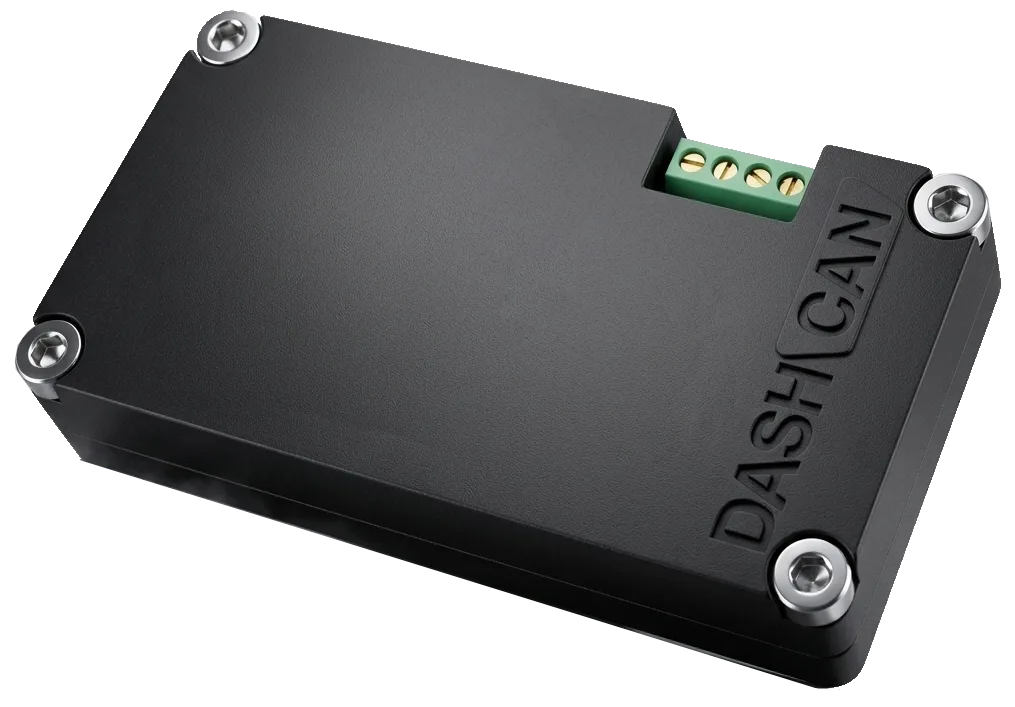
DashCAN Wire In Interface
The same interface with a 4-pin screw terminal, for race cars without an OBD port.
€79.90Preorder
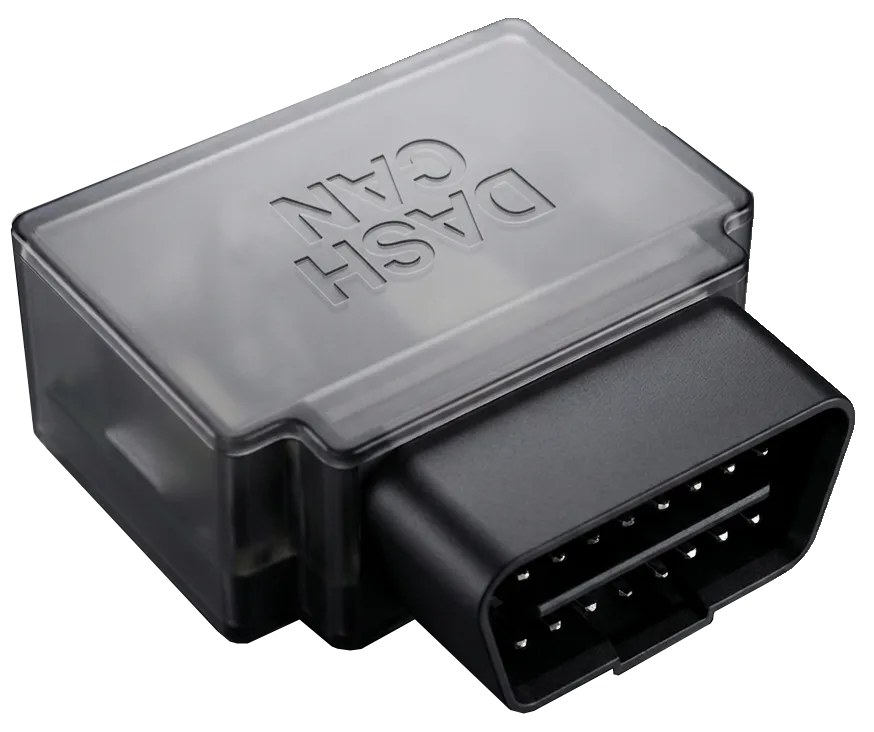
DashCAN OBD Interface
Plugs into the OBD port, and your standalone ECU is live on your phone.
€79.90Preorder
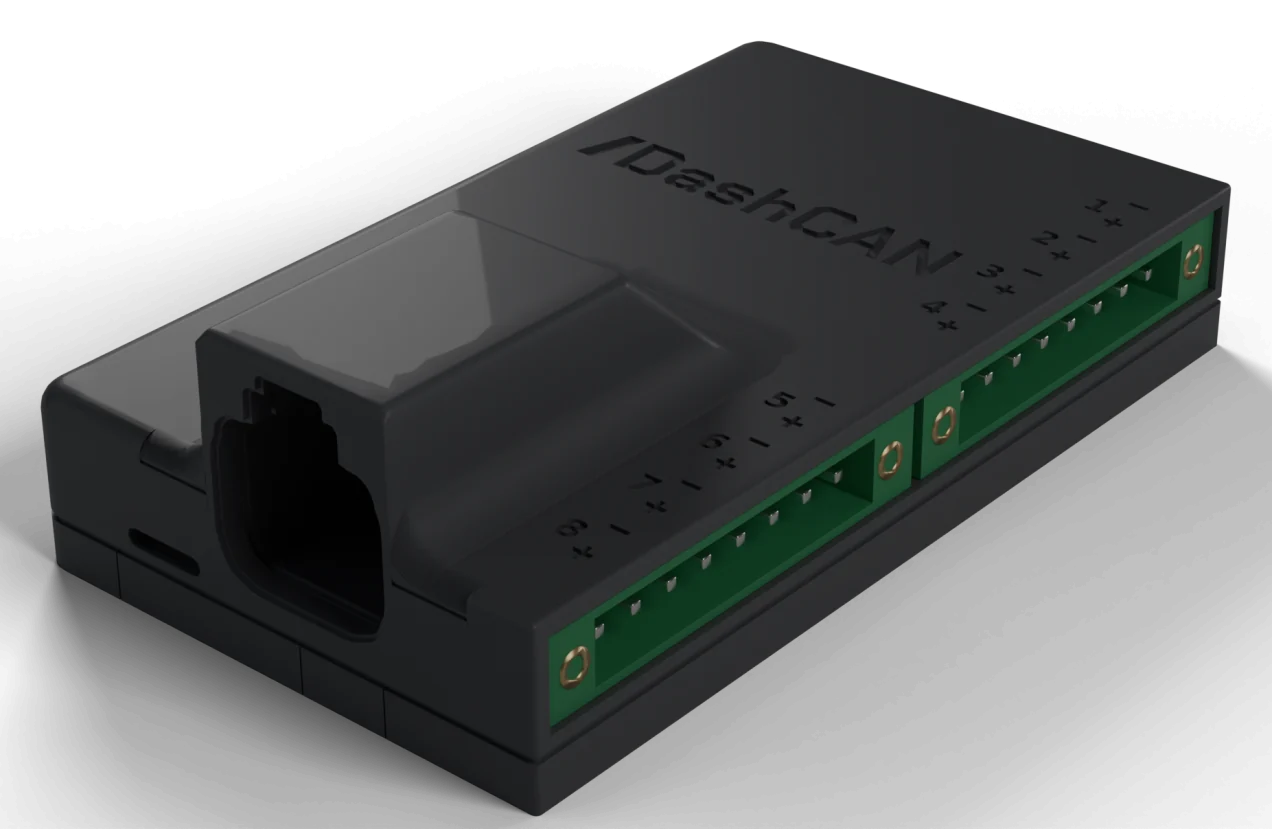
DashCAN EGT to CAN
Eight thermocouples onto the CAN bus, per-cylinder EGT in real time.
€129.00Preorder
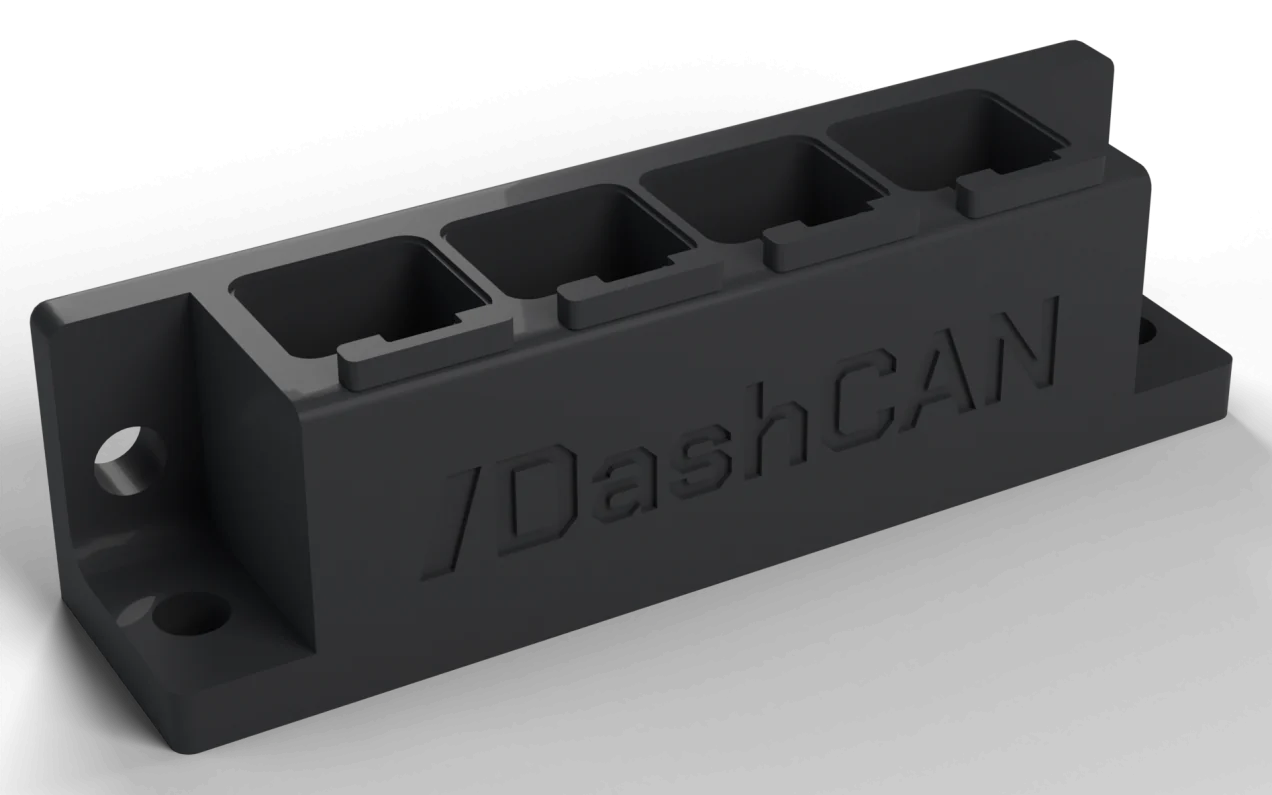
CAN Hub
One CAN bus, four sealed Deutsch DTM ports: power, ground and CAN on every one.
€99.00Preorder
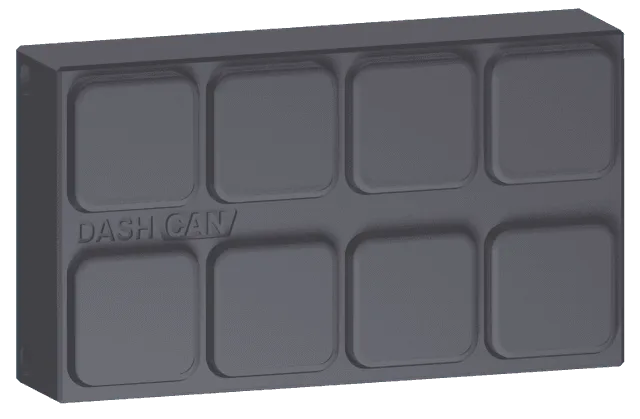
DashCAN Keypad
8 backlit CAN buttons plus real inputs and outputs for physical cockpit controls.
Coming soon
The free DashCAN app for iOS and Android


Running an Ignitron ECU? The CAN configuration files for DashCAN: receive custom CAN messages and send custom CAN messages.
Motorsport telemetry for people who read their data at the kitchen table on Monday morning.
Fit the box, drive, and find the tenths in your own time.