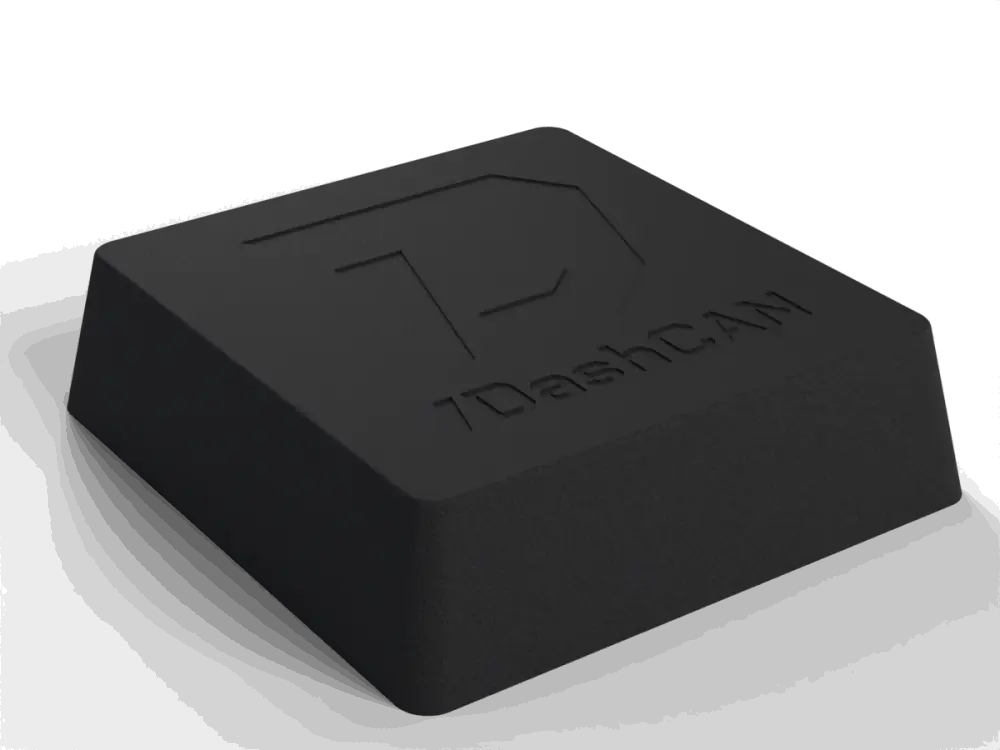
DashCAN Apex
GPS lap timer, G-forces and CAN data from one device
DashCAN Apex adds a 25 Hz GNSS receiver and a 6-axis IMU to everything the DashCAN interface already does: automatic lap timing, acceleration runs and full vehicle dynamics, recorded on track and reviewed on DashCAN Cloud.
€199.00PreorderFree shipping
Delivery in 5 to 10 daysFree shipping from €199.00, otherwise €20.00
Add to your order
- €9.00
Expected to ship: 2026 November
Not ready to order yet?
- 14-day right of return
- 2-year warranty
- Ships internationally from the EU
- GPS
- 25 Hz
- IMU
- 6-axis
- CAN access
- Read + write
- Wireless
- Bluetooth 5 LE
- Size
- 61 × 58 × 16.5 mm
- Weight
- 50 g
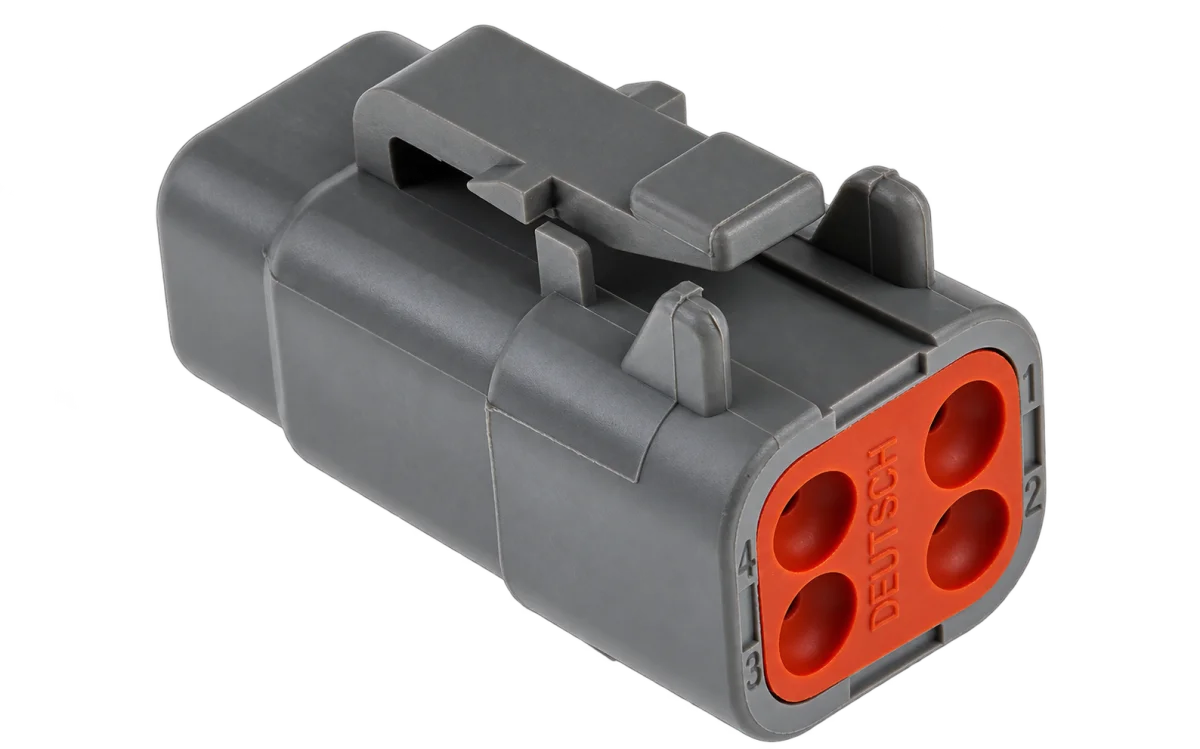
Multi-constellation GNSS, accelerometer and gyroscope, switchable 120 Ω CAN termination. OBD2 over CAN (ISO 15765-4): 11-bit and 29-bit IDs at 500 or 250 kbit/s, detected automatically. iOS and Android.
In the box: DashCAN Apex, 1 m cable with connector, hook-and-loop mount.
Quarter mile timed 0.001 s from the official drag strip clock
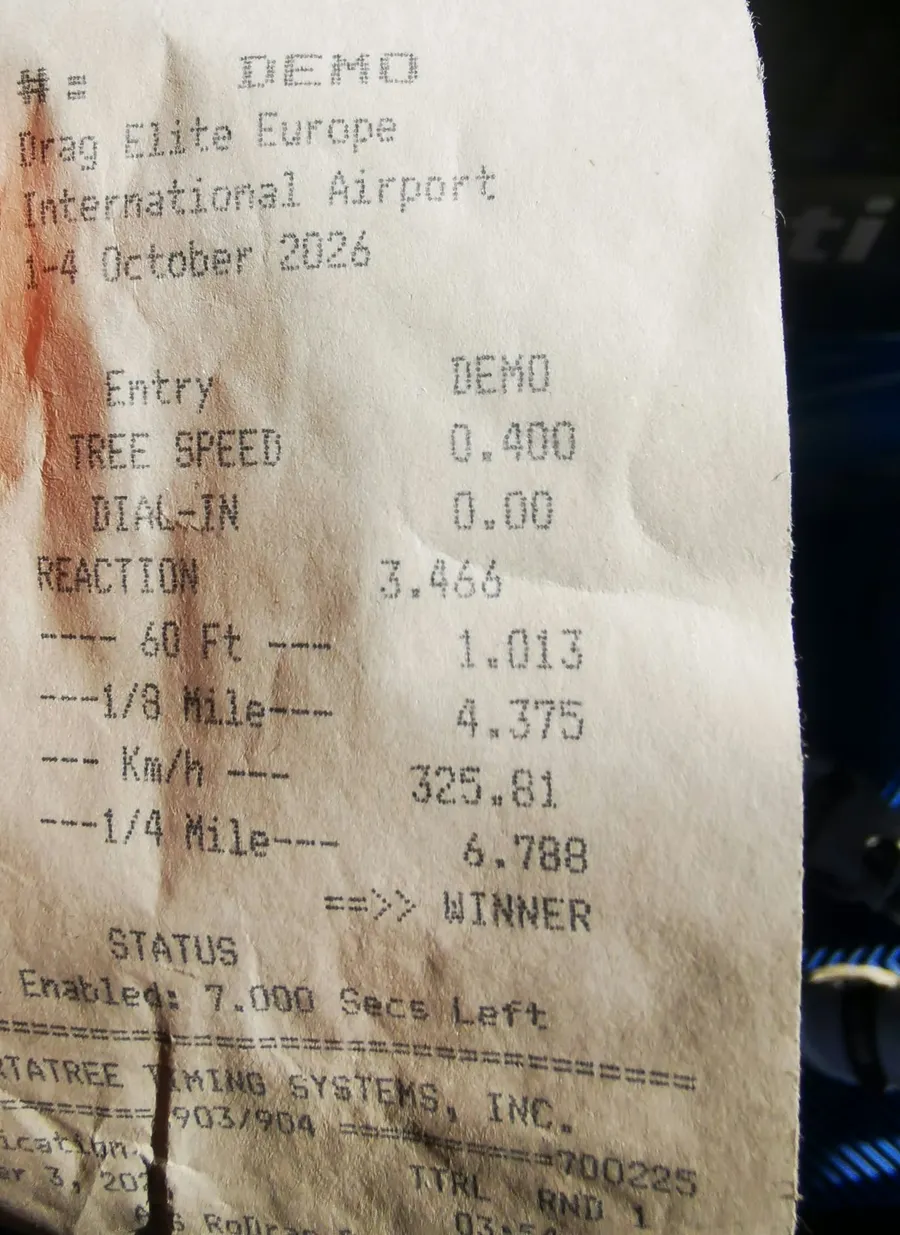
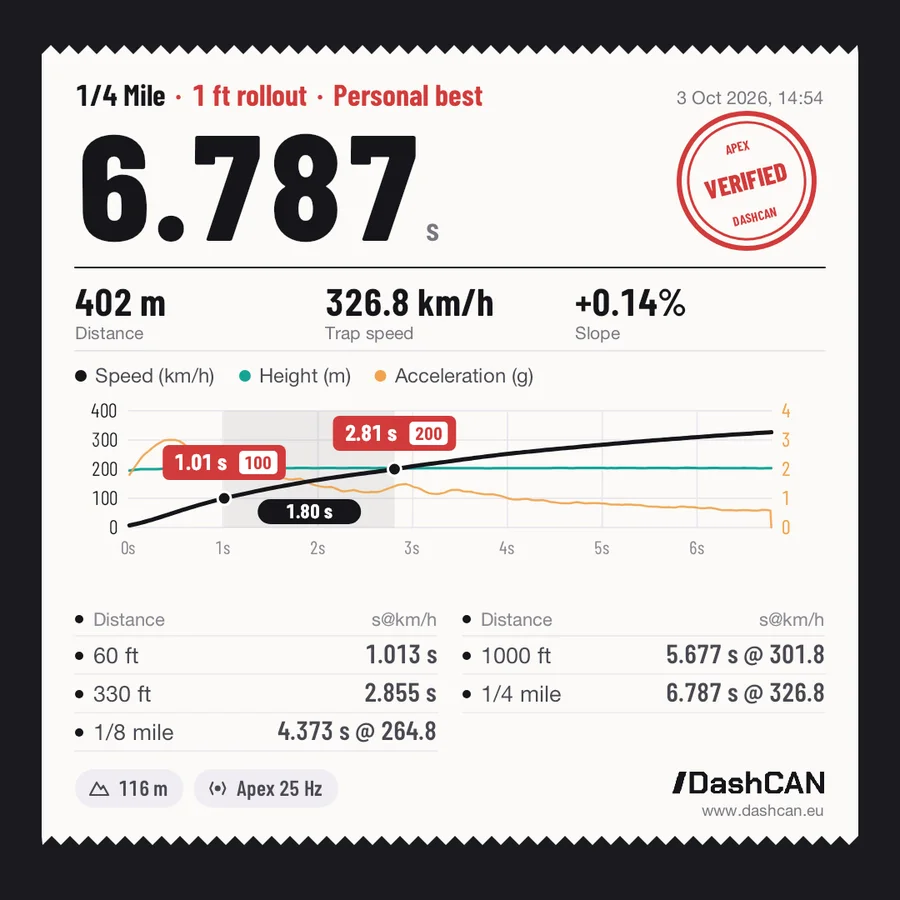
Drag Elite Europe, Arad, 3 October 2026. Ádám Csolti's dragster ran the quarter mile in 6.788 s on the strip's official timing, at over 320 km/h. The Apex in the car, timing the run on its own, measured 6.787 s. Both onboards below are the DashCAN app's own video export of that run.
Official timing against the Apex
| Split | Official | Apex | Difference |
|---|---|---|---|
| 60 ft | 1.013 s | 1.013 s | 0.000 s |
| 1/8 mile | 4.375 s | 4.373 s | 0.002 s |
| 1/4 mile | 6.788 s | 6.787 s | 0.001 s |
The strip times the run with light beams across the track. The Apex worked it out from its own 25 Hz GPS and IMU data, using the 1 ft rollout that drag strip timing uses. It was not connected to the timing system in any way.
Trap speed is not compared: the strip averages it over the last stretch before the line (325.81 km/h), the Apex reports the speed at the line itself (326.8 km/h).
Everything the interface does, plus the data layer
If you already know the DashCAN interface, Apex is the same device with a high-precision GPS receiver and motion sensor built in. Nothing you rely on goes away.
Already in every DashCAN interface
- High-speed CAN communication and CAN switches
- Data logging and standalone ECU support
- OBD2 live data from stock cars (ISO 15765-4 over CAN)
- Switchable 120 Ω termination
- Real-time gauges and switches over Bluetooth 5 LE
Added by the Apex
- 25 Hz multi-constellation GNSS for speed, distance and lap time
- 6-axis IMU for lateral and longitudinal G, yaw, pitch and roll
- GPS lap timer with automatic start/finish detection, no transponder
- Acceleration runs: 0-100, 100-200 km/h, quarter mile and custom
- Onboard logging: 2+ hours of GPS, IMU and CAN recorded on the device, no phone required
- GPS to CAN: 25 Hz ground speed, heading and position sent to your ECU over the CAN bus
Recorded on track, analyzed on DashCAN Cloud
Every session DashCAN Apex records syncs automatically to DashCAN Cloud, a web telemetry platform you open from any device. Below is a real hillclimb run in the same workspace you get: GPS, G-forces, every ECU channel and the onboard video on one timeline.
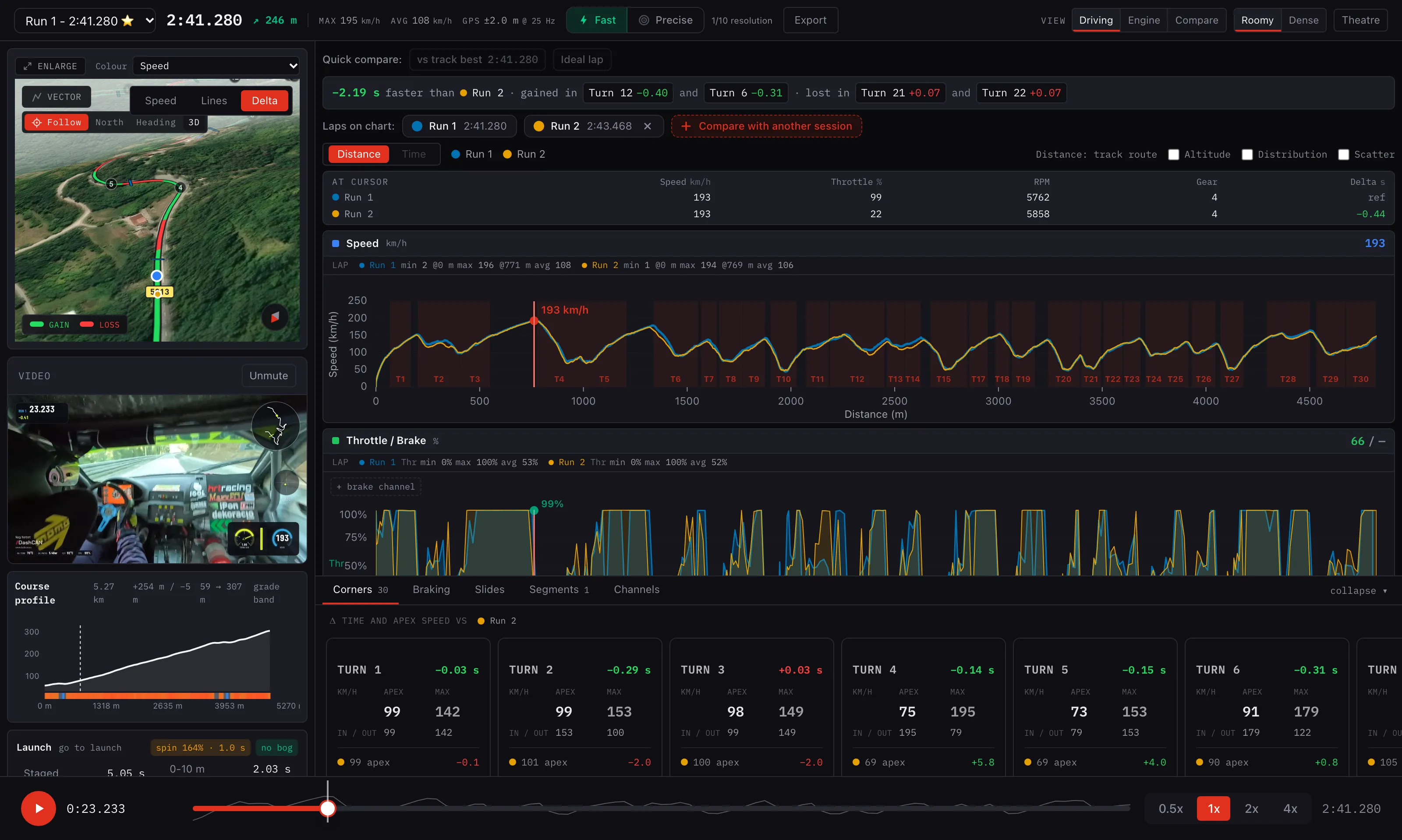 Open the live session
A real run from the Buzet round of the FIA European Hill Climb Championship, recorded with DashCAN Apex. Open it in the browser, press play and add channels, no account needed. Open the demo session
More of DashCAN Cloud
Lap times and sectors, the track map coloured by speed, speed and delta charts, acceleration results, the G-G diagram, corner analysis, and every CAN channel overlaid on your laps. Laps compare side by side, even across sessions.
Your phone can time a lap, but it cannot explain one
Free laptimer apps are a fine start. But finding the next second means knowing what the car was doing at every metre, and a phone cannot see that: its GPS fixes about once a second, smoothed for navigation, and it never touches the CAN bus. Watch a corner and a 0-100 run arrive at phone rate, then see what the car actually did.
In a corner
Phone GPS · 1 Hz0 fixes in this corner
DashCAN Apex · 25 Hz0 fixes in this corner
You're missing the apex.
Phone GPS logs one fix per second: at 90 km/h that is one point every 25 metres. Your lap time is fine; the line through a corner is guesswork.
DashCAN Apex logs a raw fix every 40 ms plus 6-axis G data, so braking, turn-in and exit are really in your data, on every corner of every lap.
On a 0-100 run
Phone GPS · 1 Hz0 fixes in this run
DashCAN Apex · 25 Hz0 fixes in this run
Your whole run: five GPS fixes.
At 1 Hz, the moment you hit 100 km/h falls between two fixes, half a second apart. On a four-second run that is not a margin, it is a coin toss.
DashCAN Apex logs a raw fix every 40 ms plus 6-axis G data: launch, every split and the 100 km/h crossing are measured, not interpolated.
And the rest of the car, on the same clock
five seconds around a braking point, 25 Hz
GPS speed, the IMU and every CAN channel are recorded by one device, so the brake trace lines up with the speed drop and the G spike without any syncing afterwards.
Built for three things drivers actually measure
Demo session data throughout, the same lap as the Cloud demo above.
Track timing
Know if you got faster, lap after lap. Automatic start/finish detection, no transponder.
Vehicle dynamics
Lateral and longitudinal G, yaw, pitch and roll: how the car is loaded through every corner.
Acceleration runs
0-100, 100-200 km/h, quarter mile and your own custom runs, with splits and speeds.
- 0-100 km/h4.41 s
- 100-200 km/h11.86 s
- Quarter mile12.72 sat 178 km/h
Every official time is re-derived from the raw GPS and IMU data after the run.
GPS to CAN: true ground speed for your ECU
The Apex also works as a GPS to CAN module. It broadcasts its 25 Hz GNSS solution onto the vehicle CAN bus, so an ECU or dash with user-defined CAN inputs gets true ground speed without a fifth wheel. Once enabled, it starts at power-up, with or without the phone.
On the CAN bus
- Ground speed and heading with their accuracy, on every GNSS solution (25 Hz)
- Fix type, satellites in use, horizontal accuracy and PDOP (5 Hz, always sent)
- Latitude and longitude (5 Hz)
- Rolling counters for stale-data checks; without a valid fix the speed frame is not sent at all
Setup
- Switch it on in the app: Settings, Device, GPS to CAN
- Pick the base ID (default 0x6A0), 11-bit or 29-bit
- Export the DBC file from the app for your ECU software
- Runs at the bus bit rate you set, 1 Mbit/s included, so Haltech Nexus Generic CAN inputs work
Use it as a ground-speed reference: slip targets, launch and boost by speed, logging. The value is roughly 40 to 80 ms old when it reaches the ECU, so in a fast traction control loop let it correct a quicker estimate (driveshaft speed, accelerometer), the way a fifth wheel is used. Set a CAN timeout of about 150 ms on the ECU input so a lost fix is caught.
Live on the phone while you drive
The free DashCAN app is the dash: lap timing with sector splits, live gauges from the CAN bus, and video that carries the telemetry on it.
It records without your phone
The Apex logs the full GPS, IMU and CAN timeline to the device itself, over two hours per session.
 REC2+ h onboard
1. On track
Apex records on the device
GPS, IMU and CAN go to the Apex's own memory, over two hours per session. Leave the phone out of the car, or lose Bluetooth mid-session, and nothing is missed.
2. Back in the pits
The phone picks it up
Open the app and the session downloads over Bluetooth. The app rebuilds your laps, runs and CAN log from the raw recording.
3. Later, anywhere
Read it on DashCAN Cloud
Upload, and every lap, trace and channel is there to read on any device, whenever you have the time for it.
Stock car? OBD2 works too
Set the protocol to OBD in the app and DashCAN asks the factory ECU for standard live data over the diagnostic CAN bus. The car answers one request at a time, so the channels share its reply rate: expect fewer updates a second than from a standalone ECU broadcast, and more with fewer gauges.
Supported
- ISO 15765-4 (OBD2 over CAN), used by most cars sold in the EU and US from around 2008
- 11-bit and 29-bit CAN IDs at 500 or 250 kbit/s. DashCAN finds the right variant by itself, no setup
- Standard SAE J1979 live data (service 01): RPM, speed, coolant, intake air and oil temperature, throttle, engine load, MAP, ignition advance, battery voltage, lambda, short and long term fuel trim, fuel pressure and ethanol content
- The app asks the car which of these it supports and only offers those as gauges
- Live gauges, logging with XLSX export and video overlays, same as with a standalone ECU
Not supported
- Older non-CAN OBD2 protocols: ISO 9141-2 and ISO 14230 KWP2000 (K-line), SAE J1850 PWM and VPW. These are common on cars built before about 2008
- Reading or clearing fault codes, and manufacturer-specific channels (service 22)
- CAN switches: on a factory ECU DashCAN only sends standard diagnostic requests
Setup in four steps
The full guide with pictures and the per-ECU settings is on the First Steps page.
1
Connect it to the car
Wire in switched 12 V, ground, CAN high and CAN low, then place the box where the GPS can see the sky. The placement guide is on the First Steps page.
2
Enable the CAN broadcast in your tuning software
Each ECU has a short guide with the exact settings and pins. Ignitron users import two ready-made files.
3
Install the free app and pair over Bluetooth
iOS or Android. Grant the permissions the app asks for, then pair the interface.
4
Pick your ECU in the app
The channels show up live. Build your layout, then drive.
- On the dash, near the windshield. As high as possible, with a clear view of the sky, so the GNSS receiver gets its 25 fixes a second.
- Fixed and level. The IMU measures the car, so the box must not wobble. Any fixed angle works, the app compensates, but level is best out of the box.
- Not in the glove box, not under metal. Metal surfaces and heated, metal-coated windshields block the GPS and weaken Bluetooth.
Works with
Ignitron ECU, ECU Master EMU, ECU Master EMU PRO, Emtron, Haltech, Hondata, MaxxECU, MegaSquirt, MoTeC, rusEFI, Speeduino, Syvecs, VEMS, and any other ECU that can broadcast custom CAN messages.
Which DashCAN is right for you?
Same app, same live data. Pick by how you connect, and whether you want lap timing built in.
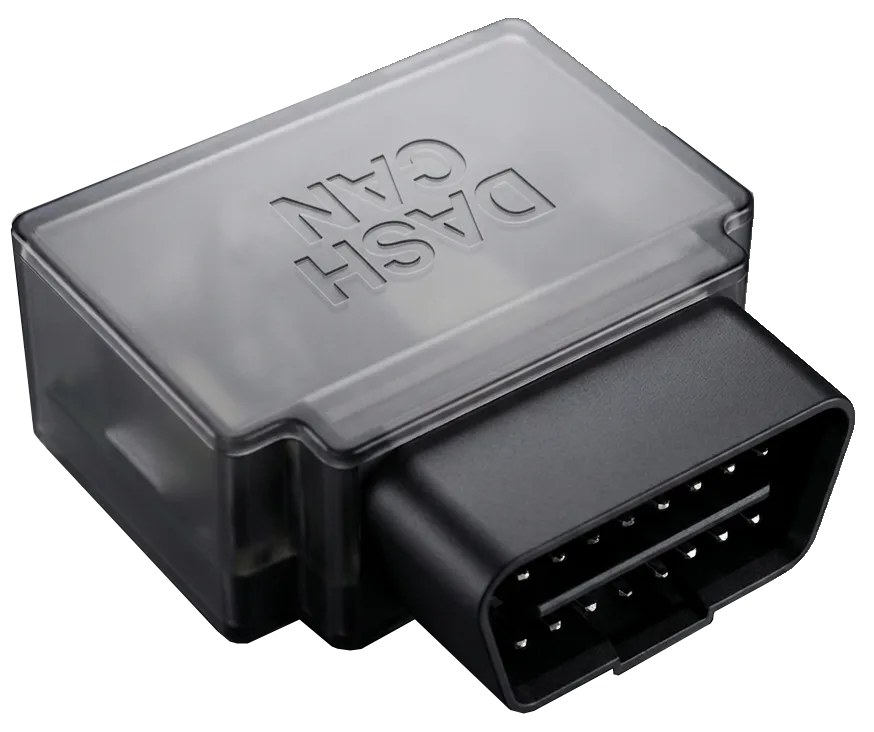 You have an OBD portDashCAN OBDOBD connectorPlug in and drive. Moves between cars in seconds.
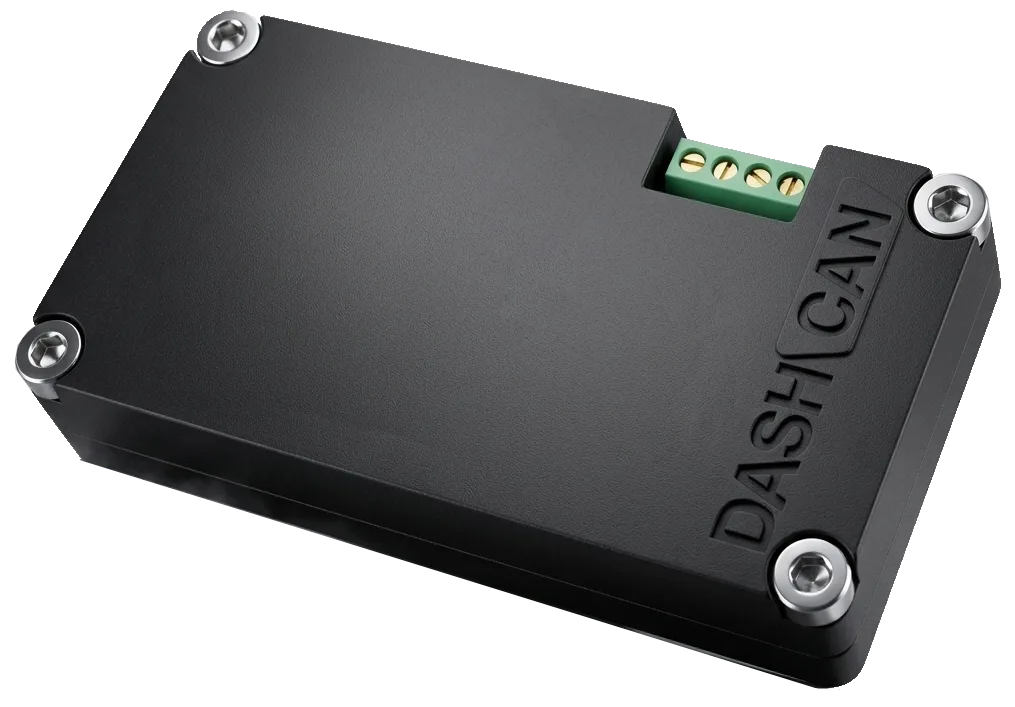 No OBD port, or a race loomDashCAN Wire-In4-pin screw terminalPermanent installs and custom looms, wired straight into the CAN bus.
- You also want lap times and G-forcesDashCAN ApexThis pageTrackdays: lap times, G-forces and CAN data in one time-aligned log, analyzed on DashCAN Cloud.
Take it to the next trackday and bring the whole session home.
Not ready to order yet?
Closed-course use only. DashCAN products are intended solely for closed-course competition and motorsport use and are not type-approved or certified for use on public roads. Use them lawfully and safely, and do not operate the app while driving. See our Terms & Conditions for full details.